
 Kia K900: To convert to cruise control mode
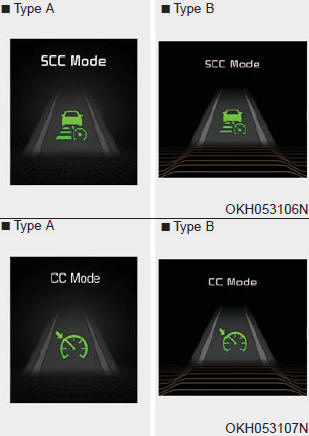
The driver may choose to only use the cruise control mode (speed control function) by doing as follows:
1.Turn the ASCC on (the cruise indicator light will be on but the system will not be activated).
2.Push the distance to distance switch for more than 2 seconds.
3.Choose between "Smart cruise control(SCC) mode" and "Cruise control(CC) mode".
WARNING
When using the cruise control mode, you must manually assess the distance to other vehicles as the system will not automatically brake to slow down for other vehicles.
 Sensor to detect distance to the vehicle ahead
The sensor detects distance to the vehicle ahead.
If the sensor is covered with dirt or other foreign matter, the vehicle to vehicle
distance control may not operate correctly.
Always keep the s ...
 Limitations of the system
The ASCC may have limits to its ability to detect distance to the vehicle ahead
due to road and traffic conditions. ...
See also:
Clock
Whenever the battery terminals or related fuses are disconnected, you must reset
the time.
You can set the clock by using the AVN (Audio or Navigation) For the details,
refer to the AVN manual. ...
Indicator light
When the ignition switch is turned ON, the indicator light illuminates, then
goes off if ESC system is operating normally.
The ESC indicator light blinks whenever ESC is operating.
The ESC indic ...
Pursuant to Code of Federal Regulations, Title 47, Part 15 ("FCC Rules").
Operation is subject to the following two conditions:
1.This device may not cause harmful interference, and
2.This device must accept any interference received, including interference that
may cau ...
Categories
