
 Kia K900: Drive mode integrated control system
Drive mode / Snow mode
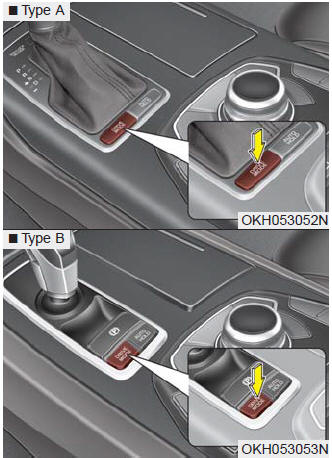
The drive mode may be selected according to the driver’s preference or road condition.
The system initializes to the normal mode after the engine start/stop button has been turned off and on.
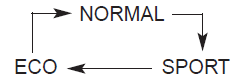
It is displayed on the AVN monitor which mode the vehicle is in as below.
- NORMAL
- ECO
- SPORT
- SNOW
The mode changes whenever the DRIVE MODE button is pressed.
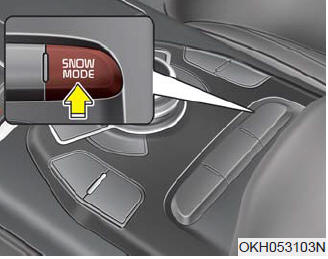
If the SNOW MODE button is pressed, the SNOW mode will operate regardless of whichever DRIVE MODE (NORMAL/SPORT/ECO) is operating.
If the button is pressed once more, the DRIVE MODE (NORMAL/ SPORT/ECO) that was operating previously will operate.
 Malfunction indicator
The AVSM OFF indicator will illuminate when the Engine Start/Stop Button is turned
ON, but should go off after approximately 3 seconds.
If the indicator does not come on, or continuously remains ...
 ECO mode (Active ECO)
Active ECO helps improve fuel efficiency by controlling certain engine and transaxle
system operating parameters. Fuel efficiency depends on the driver's driving habit
and road condition.
...
See also:
Starting the engine with a smart key
1.Carry the smart key or leave it inside the vehicle.
2.Make sure the parking brake is firmly applied
3.Place the transaxle shift lever in P (Park).
4.Press the ENGINE START/STOP button while depre ...
Power window lock button
The driver can disable the power window switches on the rear passengers’ doors
by pressing the power window lock switch. The indicator will be illuminated.
When the power window lock switch ind ...
Warning message
The message will appear to notify the driver if there are foreign substances
on the rear bumper or it is hot near the rear bumper. The light on the switch and
the system will turn off automatica ...
Categories
