
 Kia K900: Rear seat storage
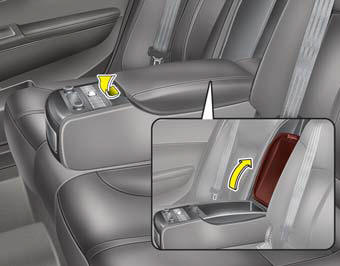
To open the rear seat storage, pull up the lever.
 Center console storage
To open the center console storage, pull up the lever. ...
 Glove box
The glove box can be locked and unlocked with the mechanical key of the smartkey
(1).
To open the glove box, push the button (2) and the glove box will automatically
open. Close the glove box a ...
See also:
Headlight
When the headlight(light switch in the headlight or AUTO position) is on and
all doors (and trunk) are locked and closed, the position light and headlight will
come on for 15 seconds if any of the ...
22,500 miles (36,000 km) or 18 months
Rotate tires
Inspect air cleaner filter
Inspect vacuum hose
Inspect power steering fluid
Inspect fuel lines, fuel hoses and connections
Inspect vapor hose and fuel filler cap
Inspect fu ...
Windshield washers
In the OFF position, pull the lever gently toward you to spray washer fluid on
the windshield and to run the wipers 1-3 cycles. Use this function when the windshield
is dirty.
The spray and wip ...
Categories

Copyright © www.k900kia.com 2014-2026