
 Kia K900: Driver Information System (DIS)
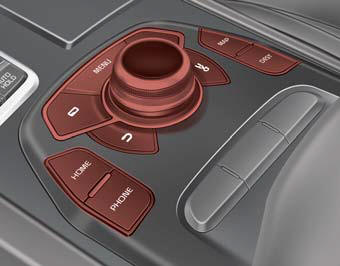
Detailed information for the DIS system is described in a separately supplied manual.
 Audio / Video / Navigation system (AVN)
Detailed information for the AVN system is described in a separately supplied
manual. ...
 Bluetooth® Wireless Technology hands-free
You can use the phone wirelessly by using the Bluetooth® Wireless Technology.
1. Call / Answer lever
2. Call end lever
3. Microphone
Detailed information for the Bluetooth® Wireless Technology ...
See also:
Electronic Hydraulic Power Steering (EHPS)
This system uses an electromotor to assist you with steering the vehicle.
If the engine is turned off or if the EHPS becomes inoperative, you may still
steer the vehicle, but it will require increa ...
Forward, backward and seatback angle (for power seat)
Push the control switch forward or backward to move the seat to the desired position.
Release the switch once the seat reaches the desired position. ...
Start/Run
To start the engine, depress the brake pedal and press the ENGINE START/STOP
button with the shift lever in the P (Park) or the N (Neutral) position. For your
safety, start the engine with the s ...
Categories
