
 Kia K900: Lighting control
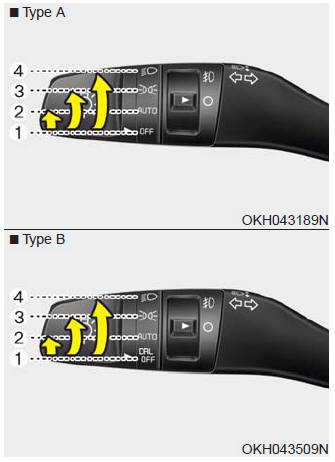
The light switch has a Headlight and a Parking light position.
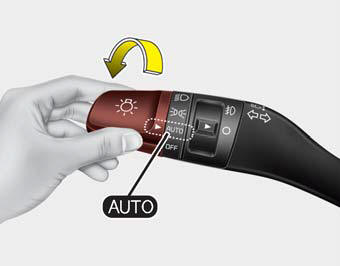
To operate the lights, turn the knob at the end of the control lever to one of the following positions:
(1) OFF or DRL OFF position
(2) Auto light position
(3) Parking light position
(4) Headlight position
Parking light position (  )
)
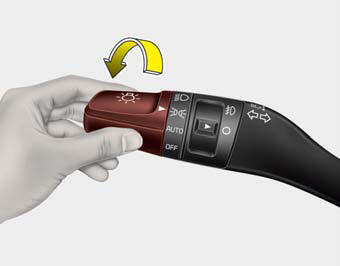
When the light switch is in the parking light position, the tail and license lights will turn ON.
Headlight position (  )
)
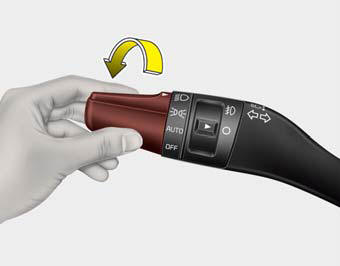
When the light switch is in the headlight position, the head, tail and license lights will turn ON.
✽ NOTICE
The Engine Start/Stop Button must be in the ON position to turn on the headlights.
Auto light/AFLS position
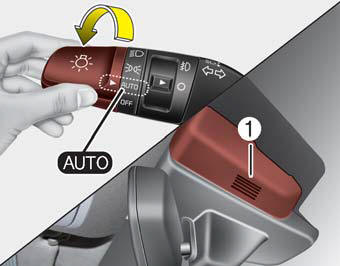
When the light switch is in the AUTO light position, the taillights and headlights will be turned ON or OFF automatically depending on the amount of light outside the vehicle.
If your vehicle is equipped with the adaptive front lighting system (AFLS), it will also operate when the headlamp is ON.
CAUTION
- Never place anything over the sensor (1) located on the instrument panel, this will ensure better auto-light system control.
- Don’t clean the sensor using a window cleaner, the cleaner may leave a light film which could interfere with sensor operation.
- If your vehicle has window tint or other types of coating on the front windshield, the Auto light system may not work properly.
AFLS (Adaptive Front Lighting System)
Adaptive front lighting system uses the steering angle and vehicle speed, to keep your field of vision wide by swiveling and leveling the headlamp.
Change the switch to the AUTO position when the engine is running. The adaptive front lighting system will operate when the headlamp is ON. To turn off the AFLS, change the switch to other positions. After turning the AFLS off, headlamp swiveling no longer occurs, but leveling operates continuously.
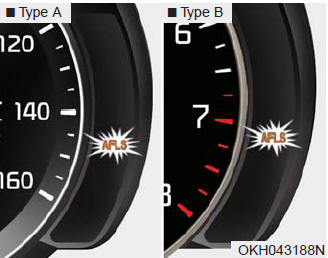
If the AFLS malfunction indicator comes on, the AFLS is not working properly. Drive to the nearest safe location and restart the engine. If the indicator remains on, have the system checked by an authorized K900 Kia dealer.
 Daytime running light
Daytime Running Lights (DRL) can make it easier for others to see the front of
your vehicle during the day. DRL can be helpful in many different driving conditions,
and it is especially helpful af ...
 High beam operation
To turn on the high beam headlights, push the lever away from you. Pull it back
for low beams.
The high beam indicator will illuminate when the headlight high beams are switched
on.
To prevent ...
See also:
Changing rear view angle
1. Top view
When Top View is selected, the rear view angle is displayed as if looking down
from above.
2. Normal view
When Normal View is selected, the rear view angle is displayed in a custo ...
Immobilizer system
Your vehicle is equipped with an electronic engine immobilizer system to reduce
the risk of unauthorized vehicle use.
Whenever the ENGINE START/STOP button is changed to the ON position, the immobi ...
Driving off-road
Drive carefully off-road because your vehicle may be damaged by rocks or roots
of trees. Become familiar with the off-road conditions where you are going to drive
before you begin driving. ...
Categories
