
 Kia K900: ASCC/LDWS Mode
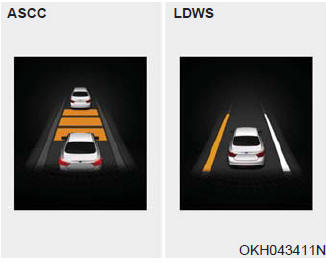
This mode displays the state of the Advanced Smart Cruise Control (ASCC) or Lane Departure Warning System (LDWS).
 Turn By Turn (TBT) Mode
This mode displays the state of the navigation. ...
 A/V Mode
This mode displays the state of the A/V system. ...
See also:
Change to "winter weight" oil if necessary
In some climates it is recommended that a lower viscosity "winter weight" oil
be used during cold weather. See section 8 for recommendations. If you aren't sure
what weight oil you s ...
Side repeater light bulb replacement
If the light bulb is not operating, have the vehicle checked by an authorized
K900 Kia dealer. ...
Lighting control
The light switch has a Headlight and a Parking light position.
To operate the lights, turn the knob at the end of the control lever to one of
the following positions:
(1) OFF or DRL OFF position ...
Categories

Copyright © www.k900kia.com 2014-2026