
 Kia K900: Trip Computer Mode
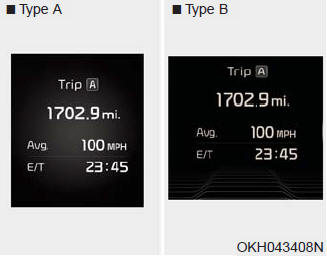
This mode displays driving information like the tripmeter, fuel economy, and so on.
 LCD Modes
For controlling the LCD modes, refer to "LCD Display Control" in this chapter ...
 Turn By Turn (TBT) Mode
This mode displays the state of the navigation. ...
See also:
Clothes hanger
To use the hanger, pull down the upper portion of hanger.
CAUTION
Hanging colothing
Do not hang heavy clothes, since those may damage the hook. ...
Air bag warning light
The purpose of the air bag warning light in your instrument panel is to alert
you of a potential problem with your air bag - Supplemental Restraint System (SRS).
When the ignition switch is turne ...
Electronic Brake force Distribution (EBD) System Warning Light
These two warning lights illuminate at the same time while driving:
When the ABS and regular brake system may not work normally. In this case, have
your vehicle inspected by an authorized K900 Ki ...
Categories
