
 Kia K900: Changing rear view angle
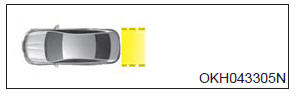
1. Top view
When Top View is selected, the rear view angle is displayed as if looking down from above.
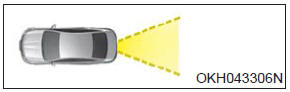
2. Normal view
When Normal View is selected, the rear view angle is displayed in a customary view with a normal rear view perspective.
 Parking guide system (PGS) display
1.Changing rear view angle (Top/Normal)
Changes the view angle of the rear camera.
2. Parking guide line
According to steering angle, the parking guide line displays to help parking. ...
 Front blind spot monitoring system
The Blind Spot Detection System is not a substitute for proper and safe lane
changing procedures. Always drive safely and use caution when changing lanes. The
Blind Spot Detection System may not ...
See also:
Advanced Smart Cruise Control (ASCC) Radar Warning Light
This warning light illuminates:
When the radar of the advanced smart cruise control system or its cover is stained.
Remove the stains with a soft cloth ...
Trip Computer Mode
This mode displays driving information like the tripmeter, fuel economy, and
so on. ...
When the battery is discharged
When the battery is discharged, the automatic transmission (shift by wire) is
not shifted.
In emergency, if you want to shift into [N], follow actions
You can shift into [N] by using the driver ...
Categories
