
 Kia K900: Driver Information System (DIS)
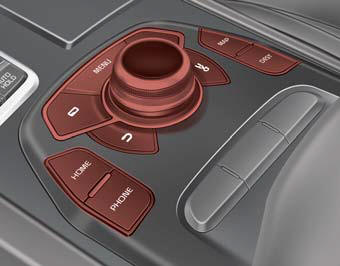
Detailed information for the DIS system is described in a separately supplied manual.
 Audio / Video / Navigation system (AVN)
Detailed information for the AVN system is described in a separately supplied
manual. ...
 Bluetooth® Wireless Technology hands-free
You can use the phone wirelessly by using the Bluetooth® Wireless Technology.
1. Call / Answer lever
2. Call end lever
3. Microphone
Detailed information for the Bluetooth® Wireless Technology ...
See also:
Low Tire Pressure Warning Light
This warning light illuminates:
Once you set the ignition switch or Engine Start/Stop Button to the ON position.
It illuminates for approximately 3 seconds and then goes off.
When one or mo ...
Warning type
The system will activate when:
1.The system is on
2.Vehicle speed is above about 18.6 mph (30 km/h)
3.Other vehicles are detected in the rear side
If a vehicle is detected within the boundary of ...
System operation
Ventilation
1.Set the mode to the position.
2.Set the air intake control to the outside (fresh) air position.
3.Set the temperature control to the desired position.
4.Set the fan speed cont ...
Categories
