
 Kia K900: Rear lamp switch
Type A
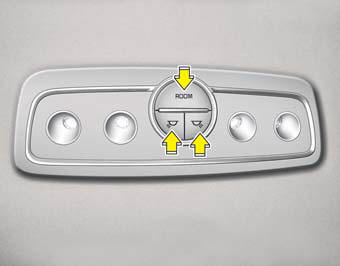
 :
:Press the button to
turn the lamp on. This light produces a spot beam for convenient use as a map lamp at night or as a personal lamp for the driver and the front passenger. To turn the lamp off, press the button again.- ROOM :
Press the button to turn the rear lamp on. To turn the lamp off, press the button again.
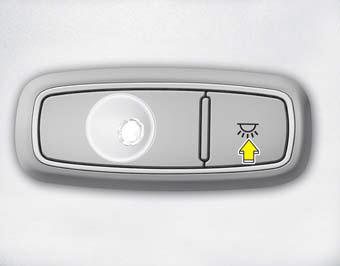
Type B
Press the button to turn the rear lamp on. To turn the lamp off, press the button again.
 Front lamp switch
: Press the button
to turn the lamp on. This light produces a spot beam for convenient use as a
map lamp at night or as a personal lamp for the driver and the front passenger.
To ...
 Trunk room lamp
The trunk room lamp comes on when the trunk is opened.
CAUTION
To prevent unnecessary charging system drain, close the trunk lid securely
after using the trunk room. ...
See also:
LED Headlamp Warning Light
This warning light illuminates:
Once you set the Engine Start/Stop Button to the ON position. It illuminates
for approximately 3 seconds and then goes off.
When there is a malfunction with ...
Fan speed control
The fan speed can be set to the desired speed by pressing the fan speed control
button(for front) or turning the fan speed control knob (for rear).
To change the fan speed, press the (
) part of ...
Aux, USB and iPod® port
If your vehicle has an aux and/or USB(universal serial bus) port or iPod® port,
you can use an aux port to connect audio devices and a USB port to plug in a USB,
and an iPod® port to plug in a ...
Categories
